Blog author
About meMaks Hapchuk
Web Analyst, Marketer
Maks Hapchuk
Web Analyst, Marketer






Mon, May 8, 2023
Many of my readers have already worked with GA4 and noticed one not-so-pleasant nuance of this system: sometimes data that should appear in reports or explorations is missing. These situations vary — sometimes you see the data in Real Time reports, but then it’s gone from the standard reports. Or you might see conversions for a weekly view, but when you try to break it down by day, some conversions disappear. If you’ve experienced these or similar situations, chances are you're facing thresholding .
Read more
Fri, May 5, 2023
Lately, more and more people have been actively switching to GA4, and I keep seeing the same issue come up in various groups and chats: “I set up an event for GA4, everything looked fine at first — but after marking it as a key event (earlier - conversion), GA4 started sending duplicate events.” If you’re facing a similar issue, this article is for you.
Read more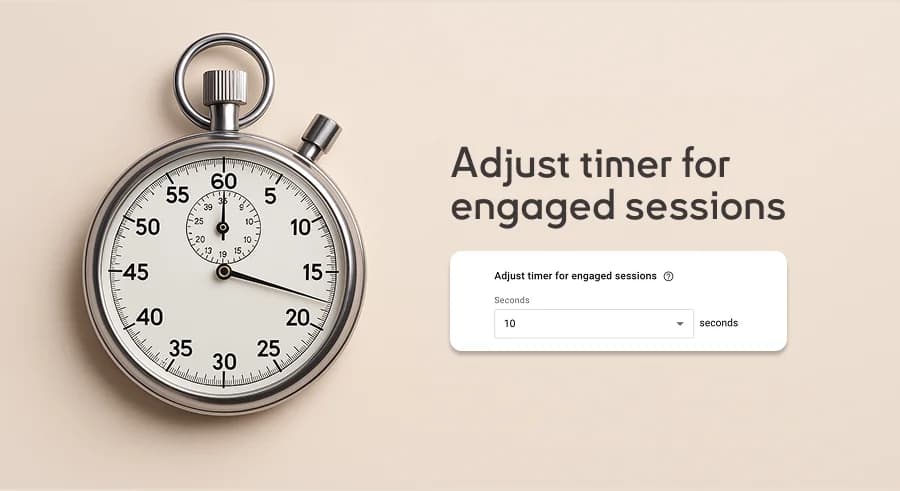
Tue, July 20, 2021
Let’s walk through a simple but important configuration step in Google Analytics 4: how to set a timer for engaged sessions. Why is this important? As you may know, Google Analytics 4 does not have a bounce rate. Instead, it uses a similar metric called the Engagement rate — the ratio of engaged sessions to total sessions.
Read more
Wed, January 13, 2021
There are many reasons to love Google Analytics 4: a new approach to data collection, new metrics, the ability to combine website and app data — and more . Among all these features, I want to highlight two in particular: Explorе and BigQuery Export. Each of them deserves its own series of articles. I’ve decided to begin with Explorations, since this functionality is more accessible.
Read more
Wed, December 9, 2020
When reading the title of this article, some of you might think: “Oh, it’s just another guy telling me to flip the switch and the event becomes a key one.” If that’s the case, I recommend reading this article to the end — I’m sure you’ll discover some unexpected ways to mark an event as a key event in Google Analytics 4.
Read more
Wed, November 4, 2020
You’ve probably heard it a lot lately: ‘Google Analytics is outdated.’ Many have already seen this message in their account from Google: "We’re excited to announce the new Google Analytics, designed to give you the essential insights you need to be ready for what’s next. You can access the new Google Analytics experience by setting up a Google Analytics 4 property, formerly known as “App + Web” property. " Yes, even Google admitted that our beloved Google Analytics is outdated — and it’s time to move on to something new. There are many reasons for that, but the main one is the approach to data collection, which hasn't changed since April 2005, the moment when Google acquired Urchin Software Corp.
Read more
Sat, May 9, 2020
The last article on this blog was published almost a year ago — on July 30. It’s not that I didn’t have anything to write about, but somehow I just never got around to it. Meanwhile, the desire to share knowledge has been building up all this time, and in early April, I finally sat down to write a new post. It’s still in drafts. It can wait. But today’s topic? It can’t wait. In my opinion, it’s high time everyone dove into it — because this is where the future of analytics is headed. I’m talking, of course, about the new version of Google Analytics 4 (formerly App + Web) and the setup of Ecommerce.
Read more
Wed, September 25, 2019
The importance of tracking form submissions on a website can’t be overstated — it’s one of the main ways users can leave a request. I’ve previously written articles on how to track form submissions in Google Tag Manager using a basic trigger or through validation inside the tag manager . Today, I want to show you another method — it’s suitable for forms where a thank-you popup appears after a successful submission. This method is based on using the Element Visibility trigger type. So, on the one hand, this article is about form tracking, and on the other — about working with the Element Visibility trigger.
Read more
Tue, July 30, 2019
Today’s tip is quick and simple: when you're configuring filters at the account or view level, don’t forget that fields in advanced mode use regular expression format.
Read more
Fri, May 31, 2019
Google Tag Manager allows you to track a huge number of events occurring on the page using standard triggers, but in some cases, they’re not enough. That’s when sending custom events and using the corresponding trigger comes to the rescue. With custom events, you can track any user action — from adding a product to the cart to pressing a specific keyboard button.
Read more